


Errors explained, with the fix.
Ask what went wrong and the assistant names the cause and hands back the corrected line, with your document as context.
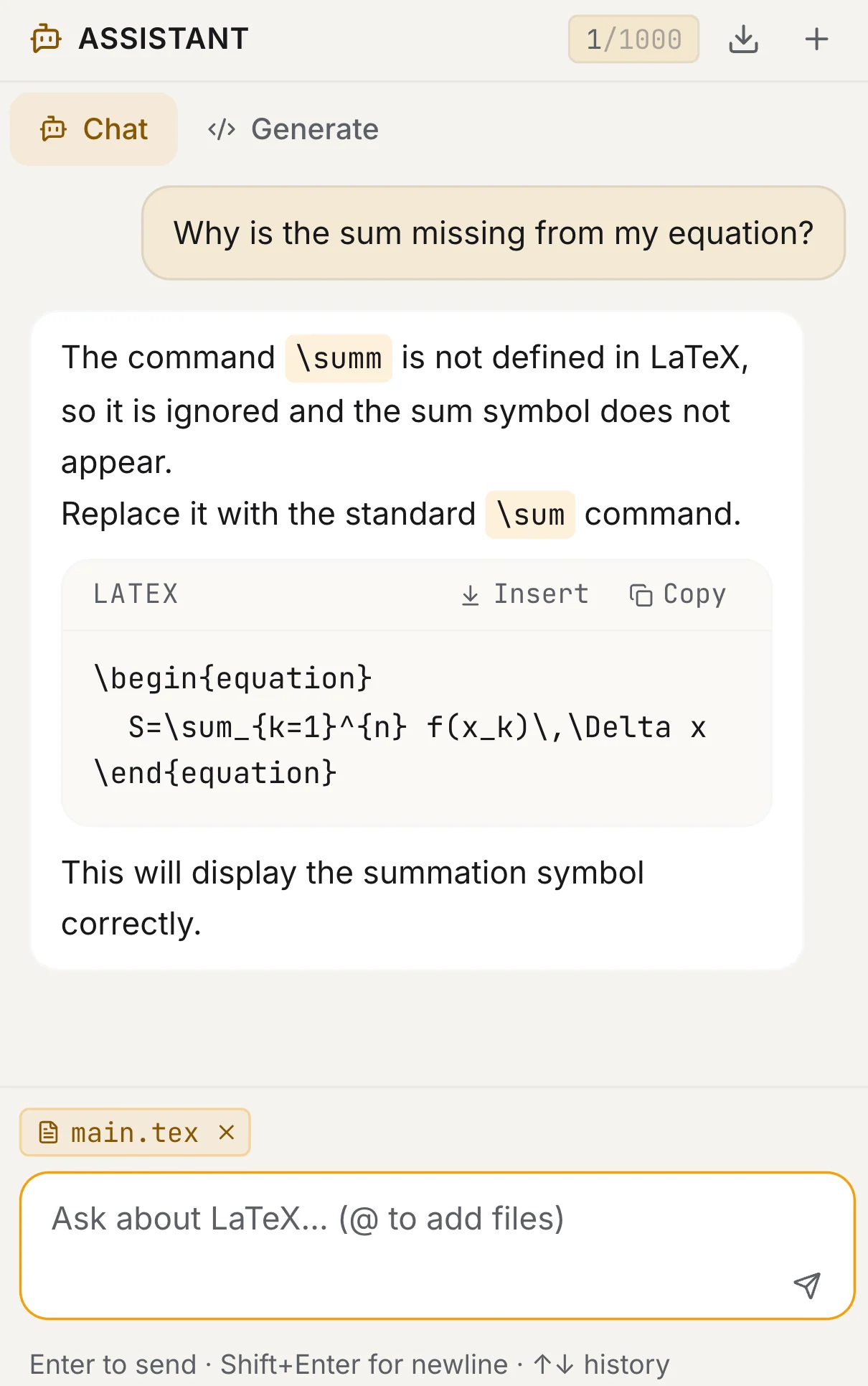
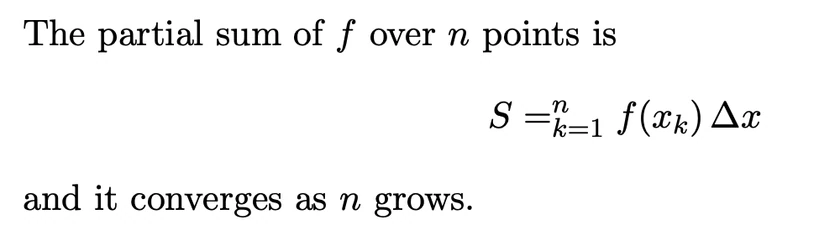
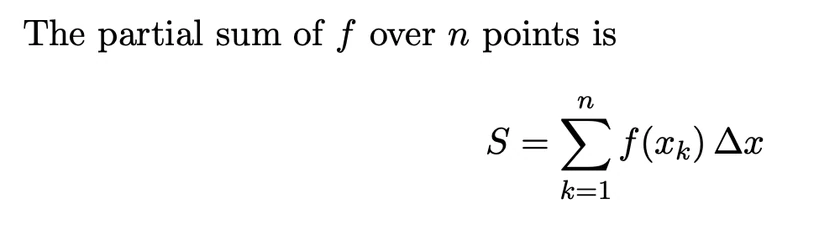

The online LaTeX editor for theses and papers. It compiles in seconds, and when something breaks it tells you why, with the fix.
Free plan, no card. Unlimited compiles in the editor.
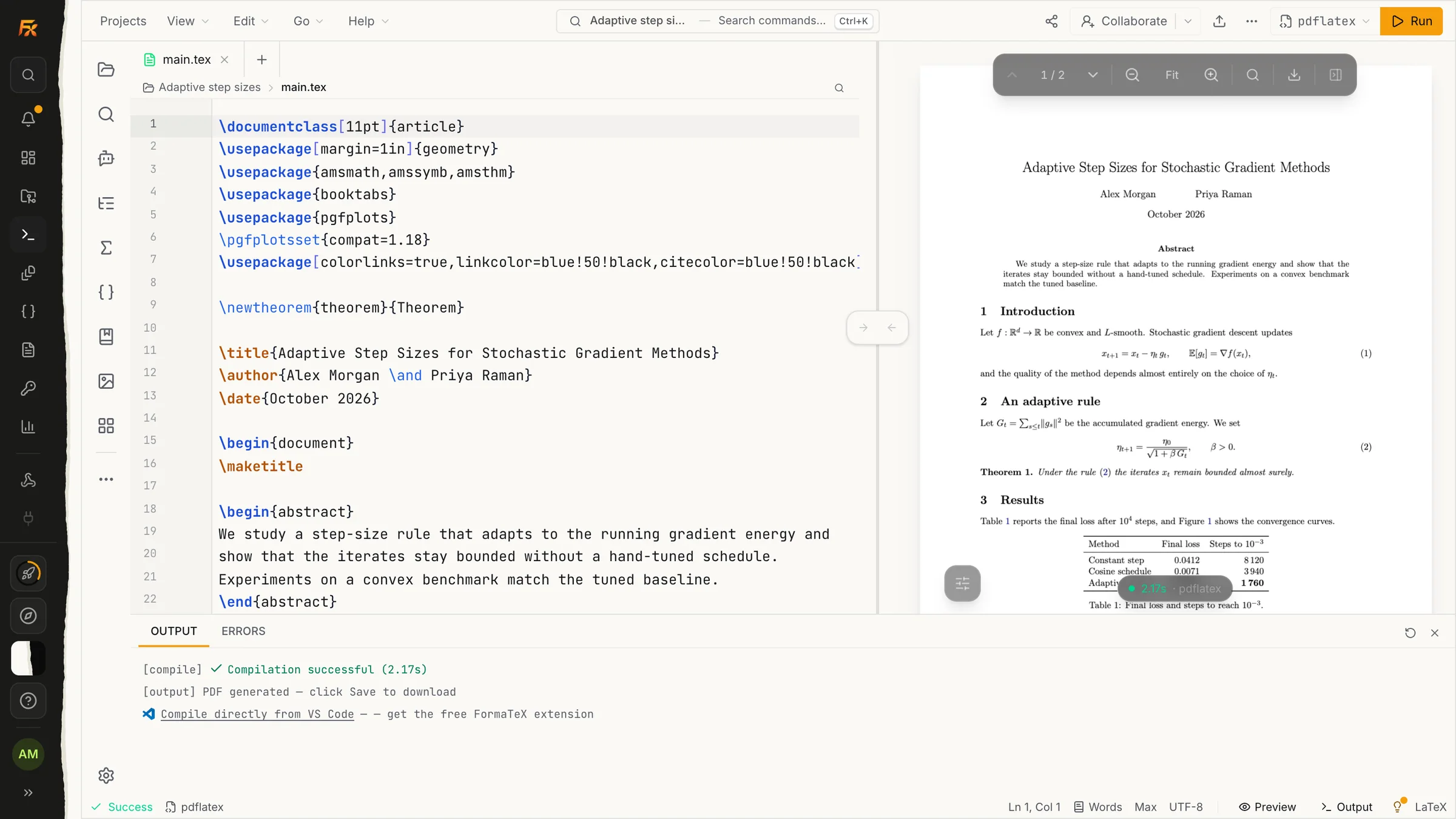
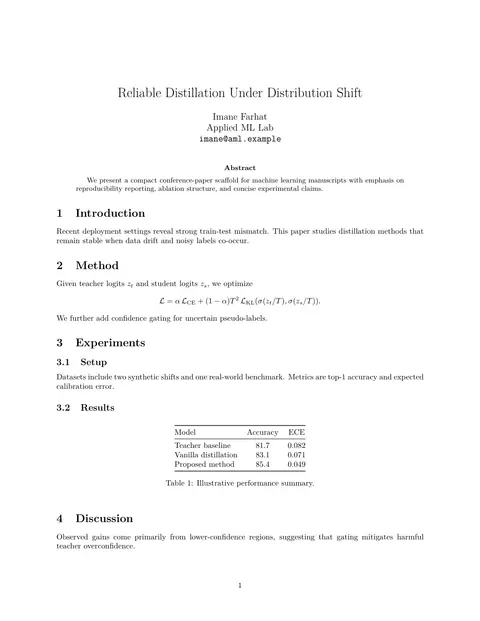
Figure 1
Type on the left. Read the page on the right. The real TeX Live runs behind it, so what you see is what prints. A compile takes seconds and there is nothing to install.
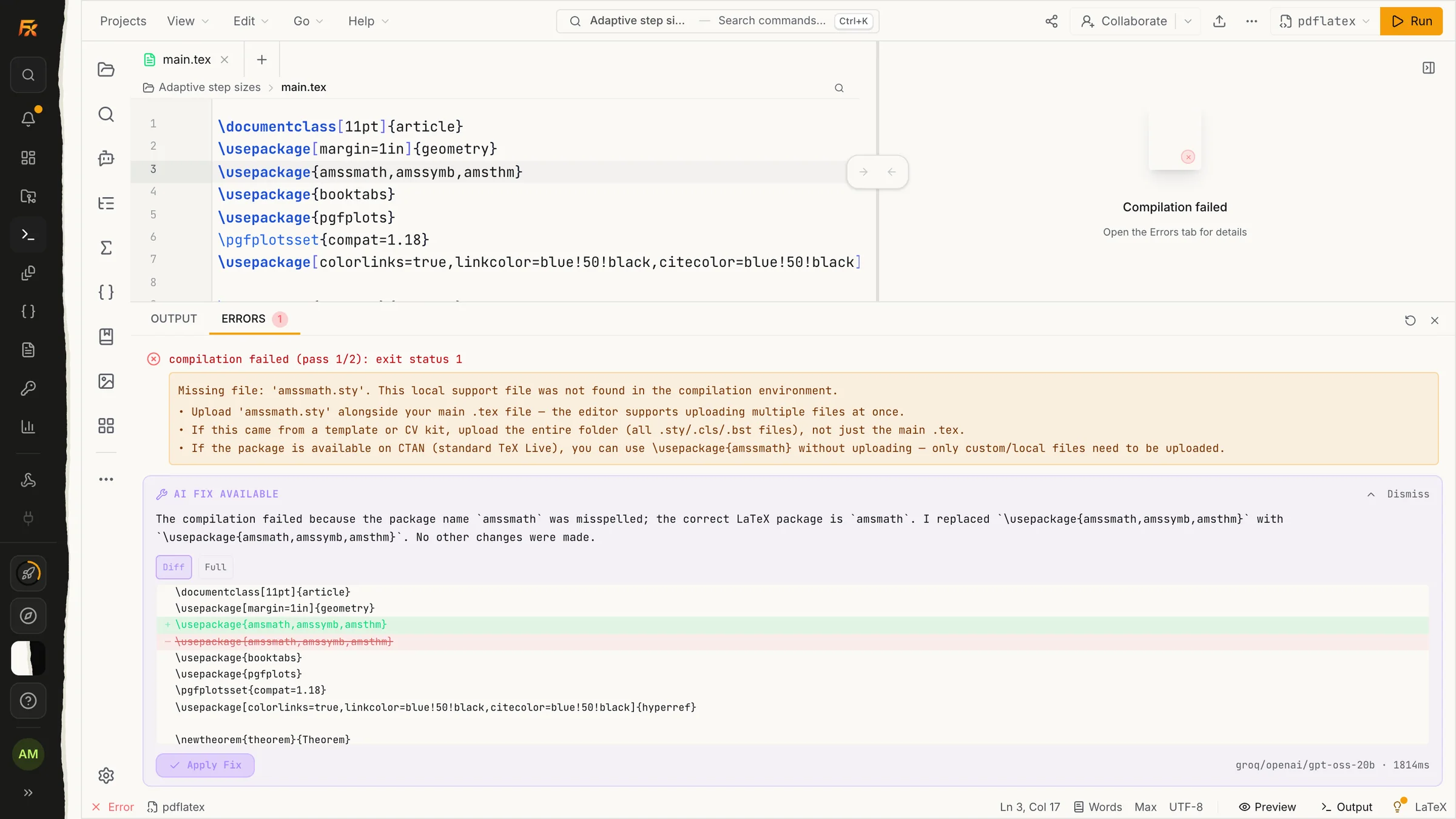
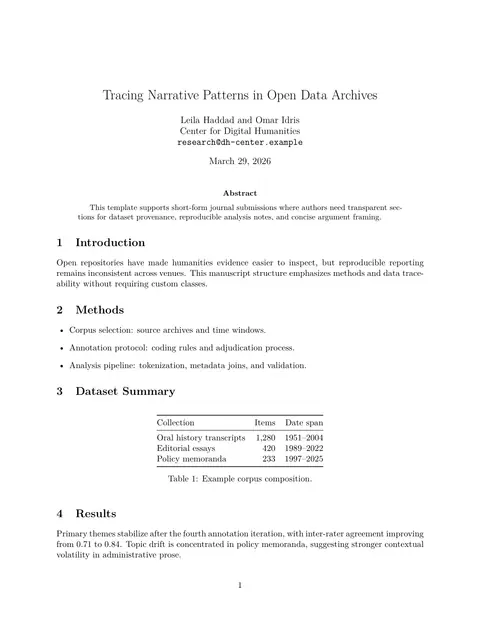
Figure 2
When it breaks, it tells you why. A missing package or a stray brace gets plain words and a one-click fix, shown as a diff you can accept or dismiss.
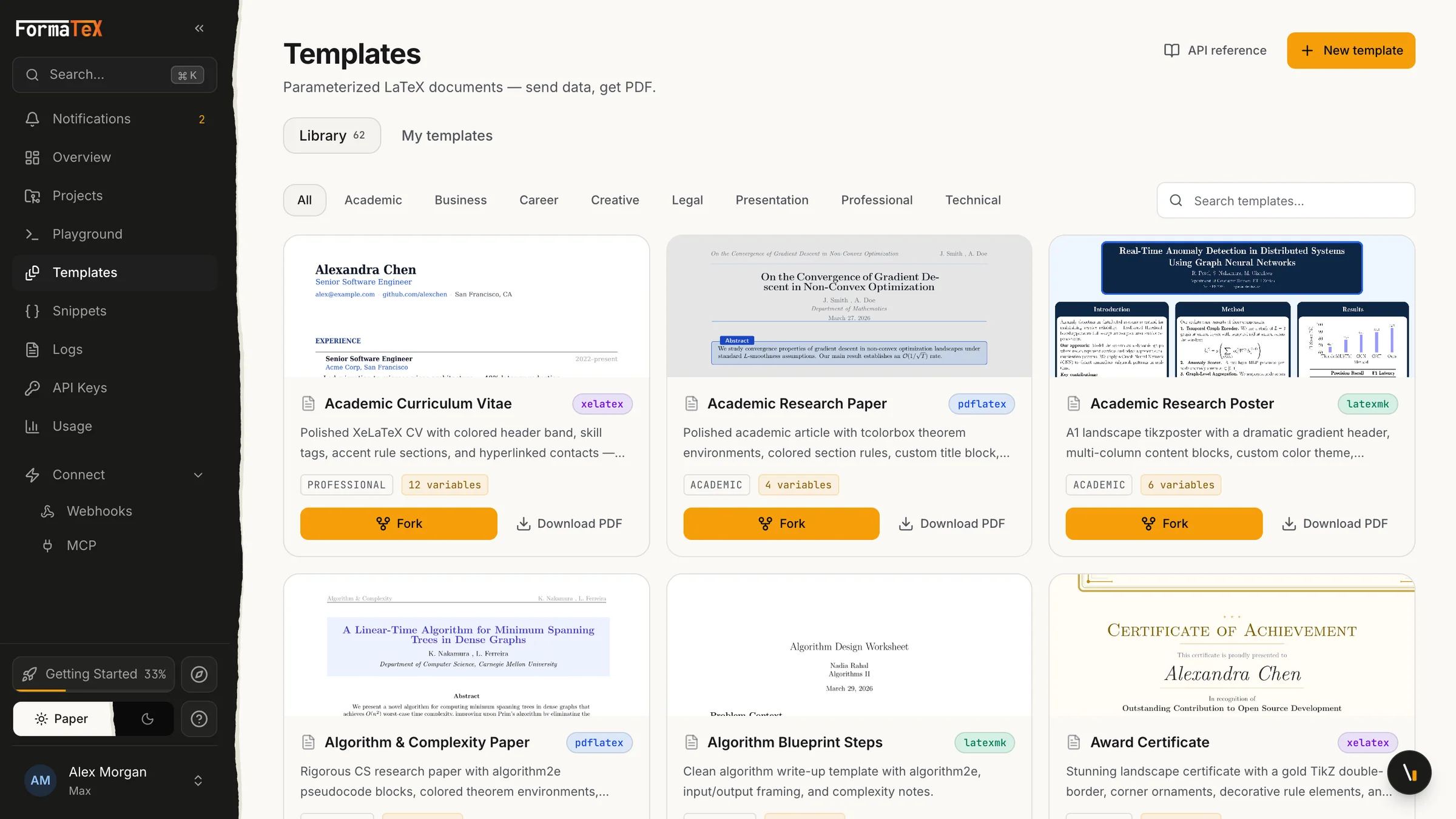
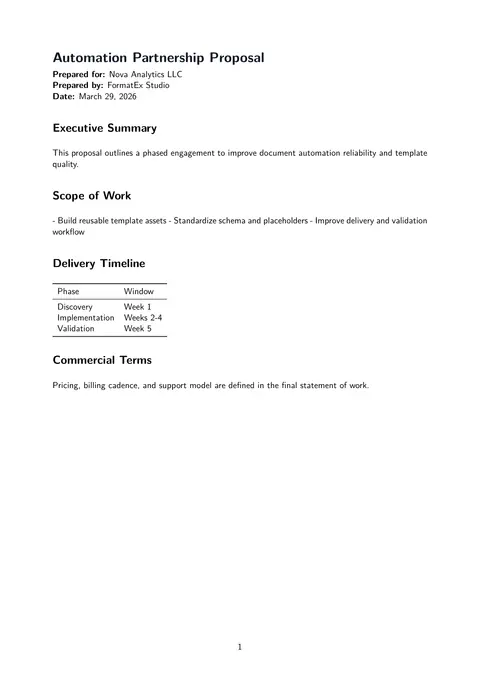
Figure 3
Never begin from a blank file. More than 60 templates for theses, papers, CVs, letters and invoices. Fork one and it is already a real project.
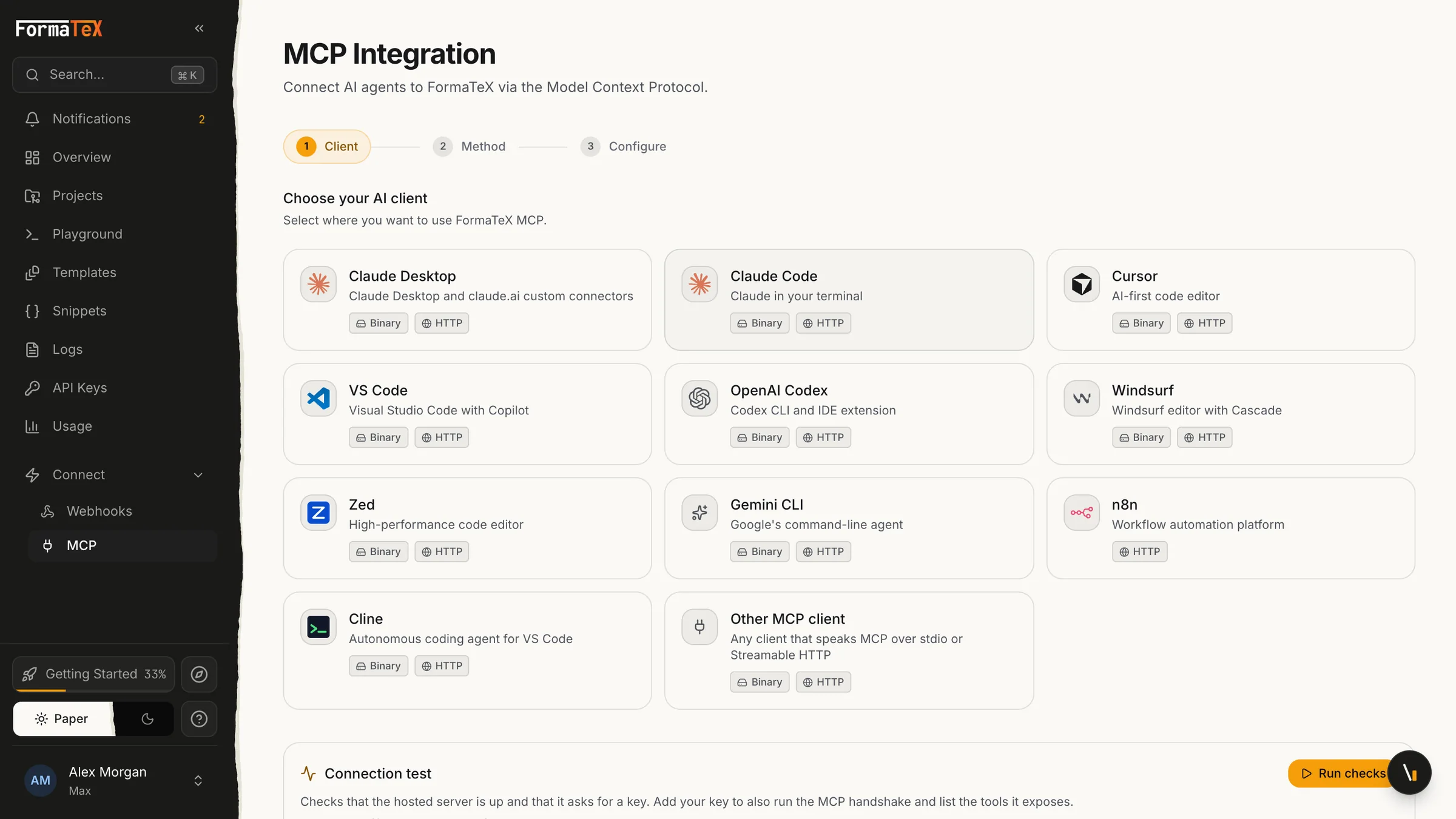
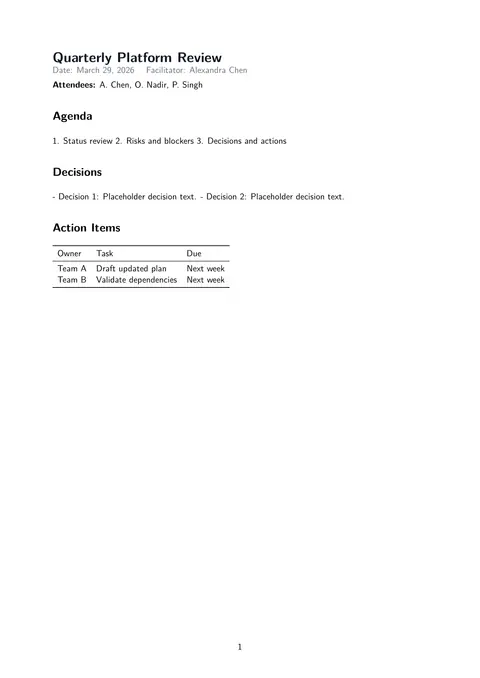
Figure 4
Let your AI do the typesetting. An MCP server for Claude, Cursor, VS Code and more, plus a REST API for everything else. Your assistant writes the LaTeX, FormaTeX returns the PDF.
\section{Why FormaTeX}
What gets in the way when you write in LaTeX, and what happens to it here.
Try it without an accountA 5 GB TeX distribution to install and keep working
Nothing to install.
Open a document in the browser and compile. Nothing on your machine to update, break, or set up again on a new laptop.
Cryptic errors with no explanation
Errors in plain language, with the fix.
The assistant reads the log, names the root cause and hands you the corrected line, so you stop guessing what "Undefined control sequence" meant.
Overleaf's free tier runs out fast
A complete editor, free.
Multi-file projects, live preview, outline panel, symbol palette and file history, on the free plan, with no card.
Mailing versions back and forth with a co-author
Everyone in the same document.
Invite co-authors by email, set editor or viewer roles, and see who is in the file. Changes sync live across every open session. Sharing is on paid plans, from Pro.
\section{How it works}
Open one of the templates and replace the text, or import an existing Overleaf project as a zip.
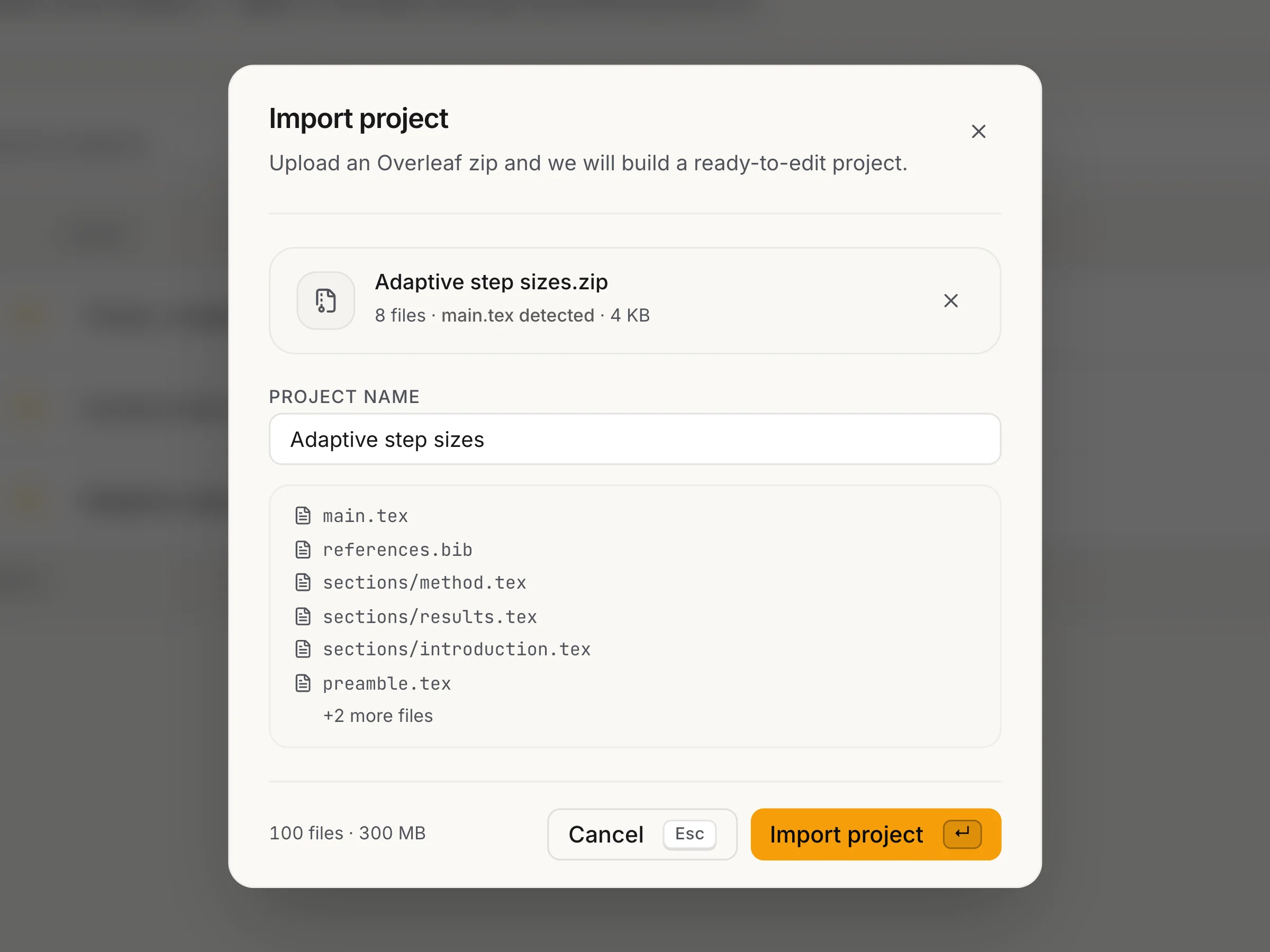
The real import dialog. The zip is read in your browser before anything uploads.
Your source sits on one side and the compiled page on the other. Press Run, or switch on auto-compile and the page refreshes a moment after you stop typing. Your work saves itself.
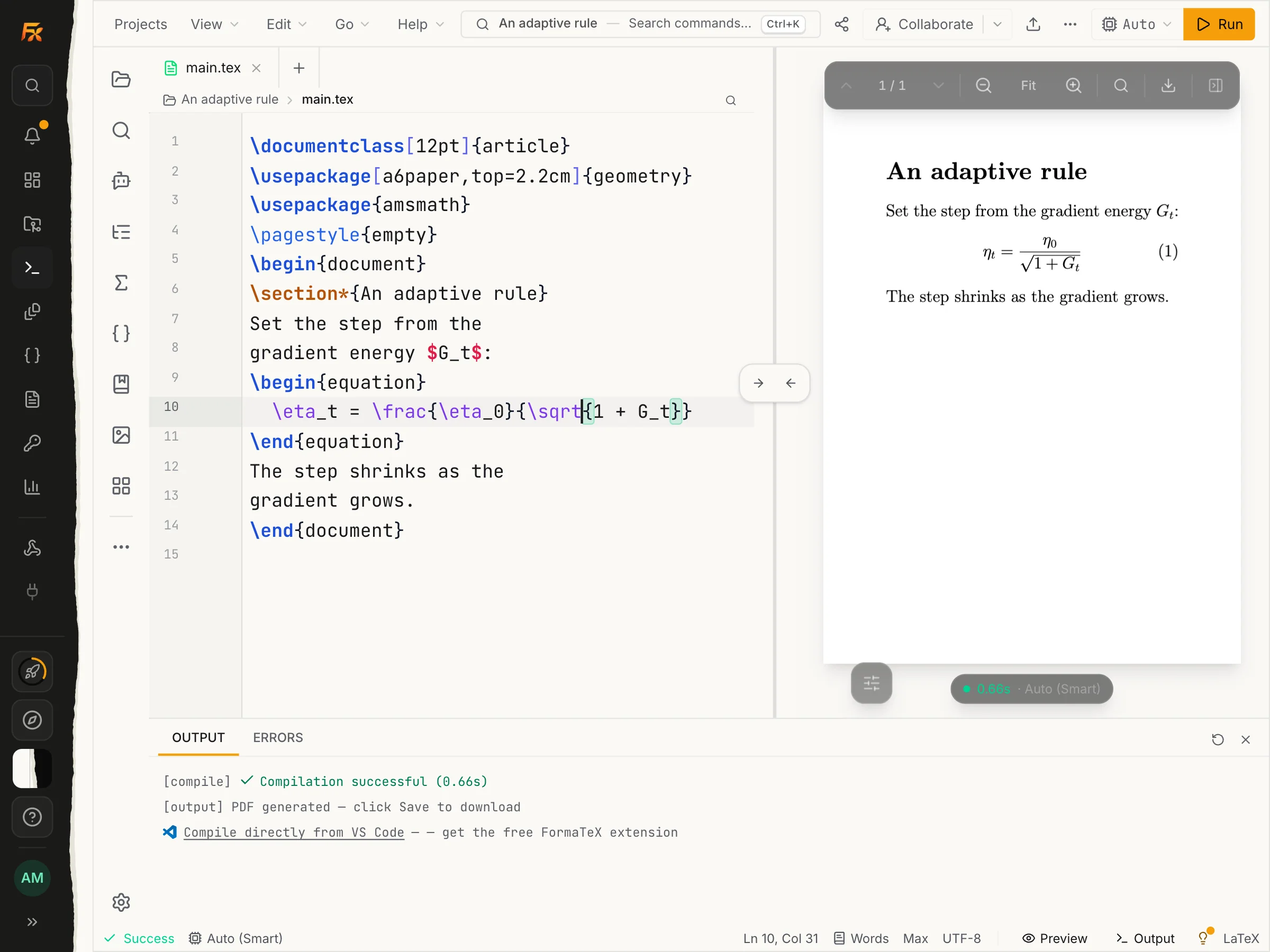
A real edit and a real recompile: 0.65 s.
Send them a link, pick who can edit and who can only read, and keep writing while they do.
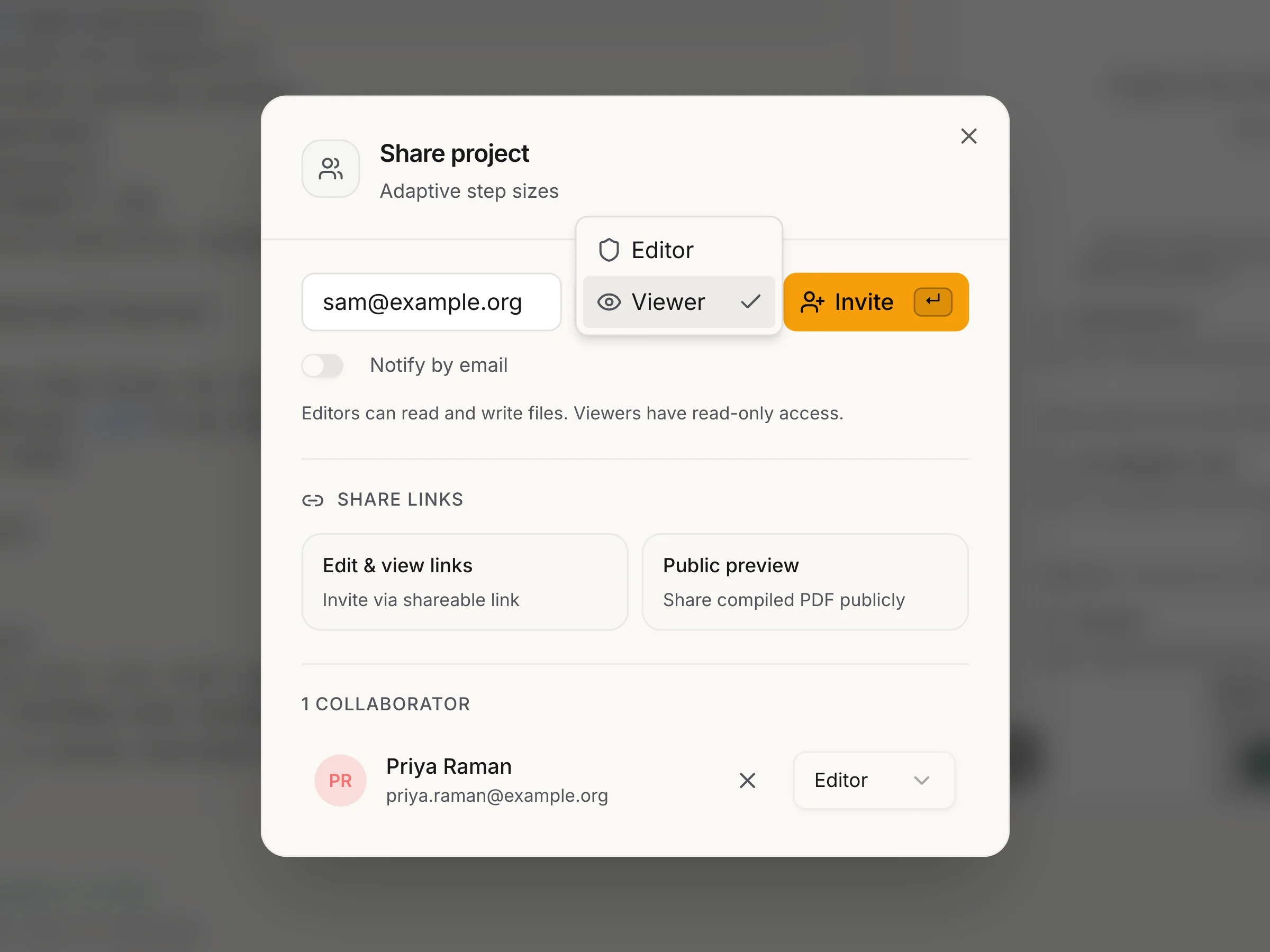
Sharing is on paid plans: up to 3 collaborators per project on Pro, 6 on Max.
\section{Use cases}
The same editor, doing rather different jobs.
Graduate students, over months rather than days
A long document that has to survive chapters, figures, a bibliography and a supervisor's comments. Start from the dissertation template, keep everything in one project, and hand your supervisor a link instead of a fourteenth attachment.


Researchers preparing a submission
Conference and journal manuscripts have their own classes and their own ways of breaking. Start from the manuscript template, and when the compile fails at midnight before the deadline, read the error in plain language instead of decoding the log.


Lecturers, teaching assistants, tutors
Lecture notes, exam sheets and weekly problem sets, all heavy on mathematics and all needed again next term. Keep them as projects, reuse the preamble, and compile a fresh PDF whenever the numbers change.


\section{Features}
Write in the browser, or drive the same compiler from your own code.
Ask what went wrong and the assistant names the cause and hands back the corrected line, with your document as context.
Invite editors or viewers, or send a read-only link to a supervisor. A comment is anchored to its line and can be resolved when it is done.
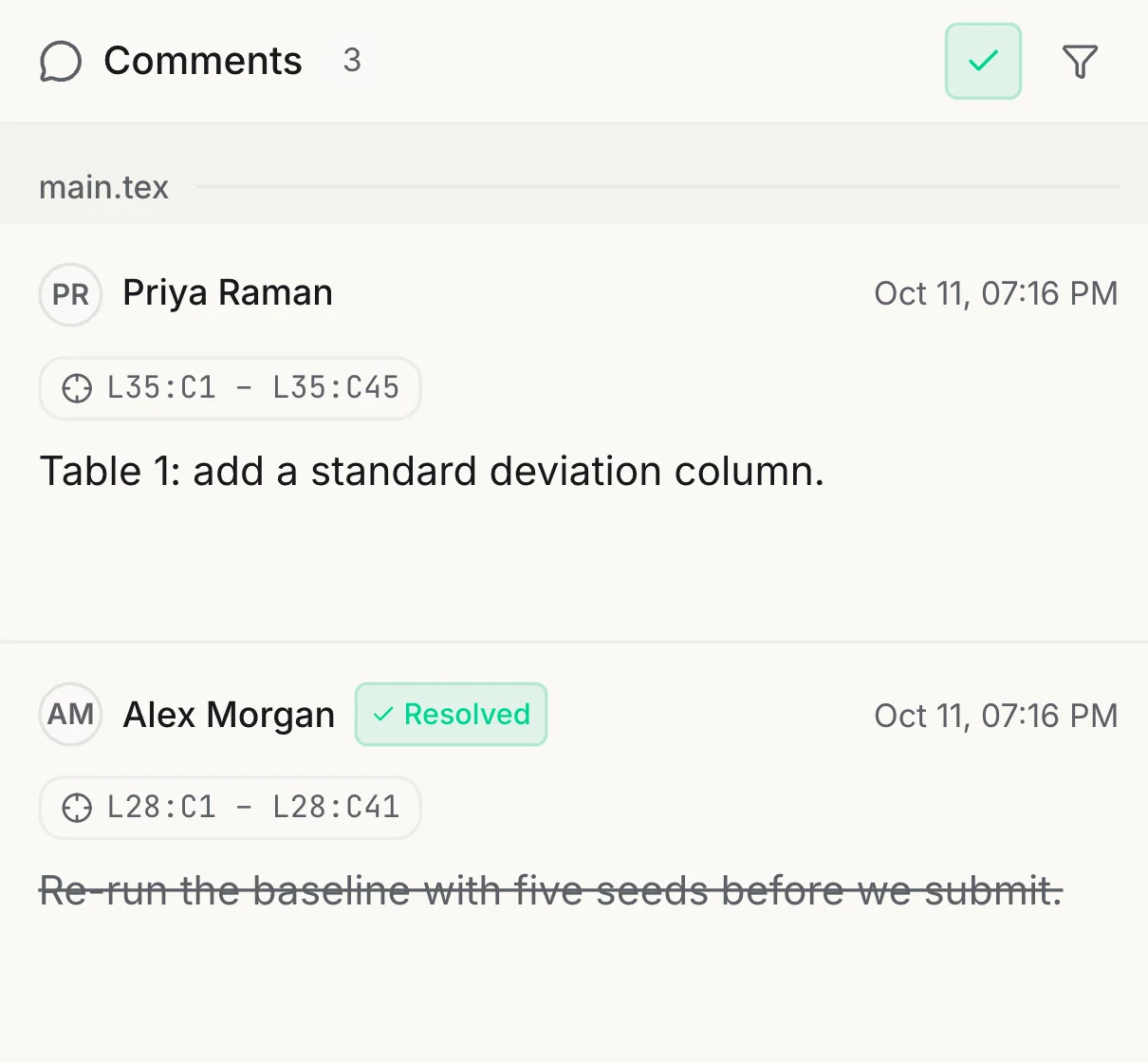
Sharing is on paid plans, from Pro.
Every save is kept with its author. Open any entry and read the change word for word, so a co-author's edit is never a surprise.
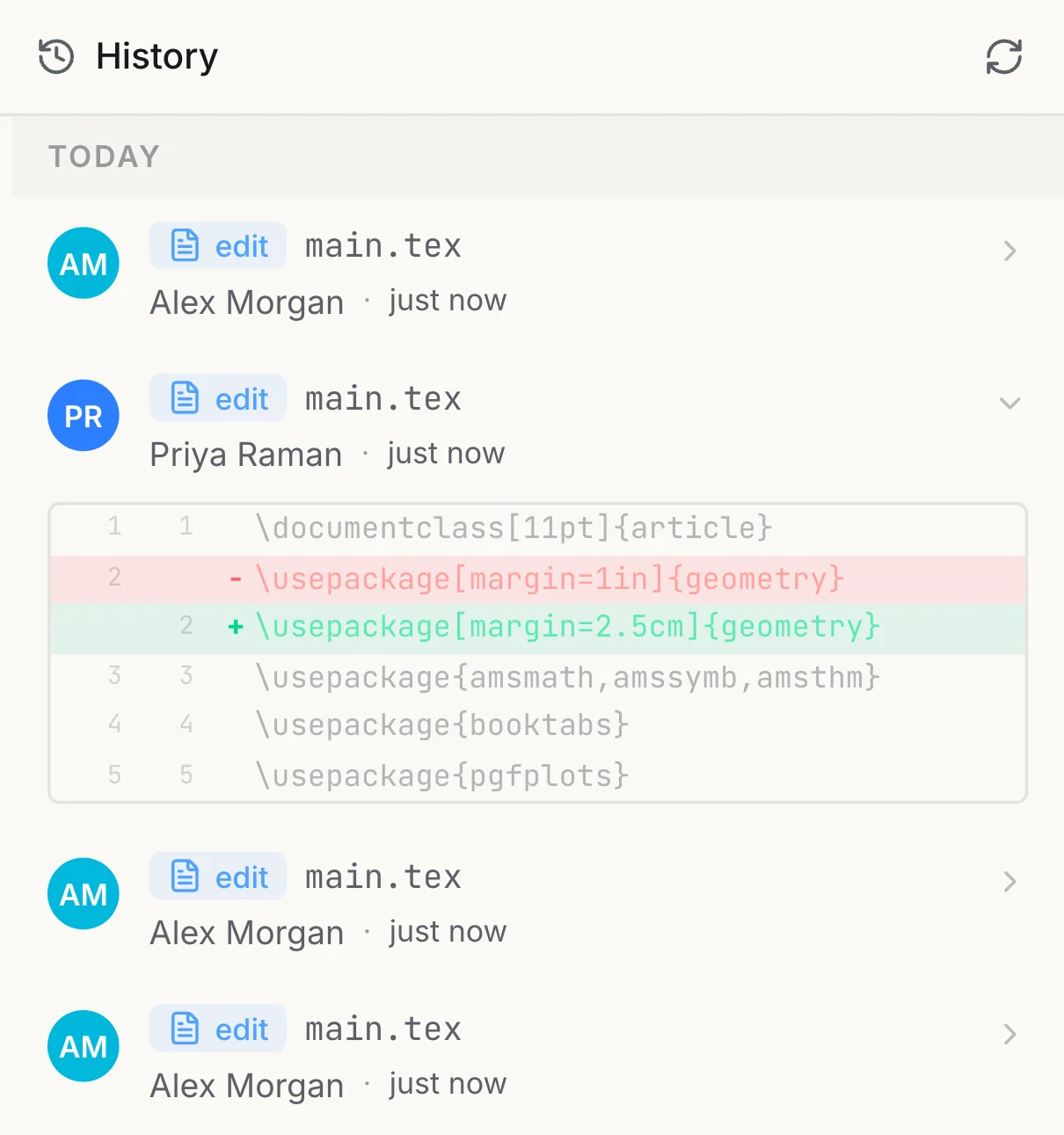
Two accounts, one file.
You write the markup; TeX handles the spacing, the alignment and the numbering of a displayed equation.
Source
\begin{align}
  \eta_{t+1} &= \frac{\eta_t}
    {\sqrt{1+\beta\,\|g_t\|^2}} \\
  G_t &= \sum_{s\le t}\|g_s\|^2
\end{align}
The page
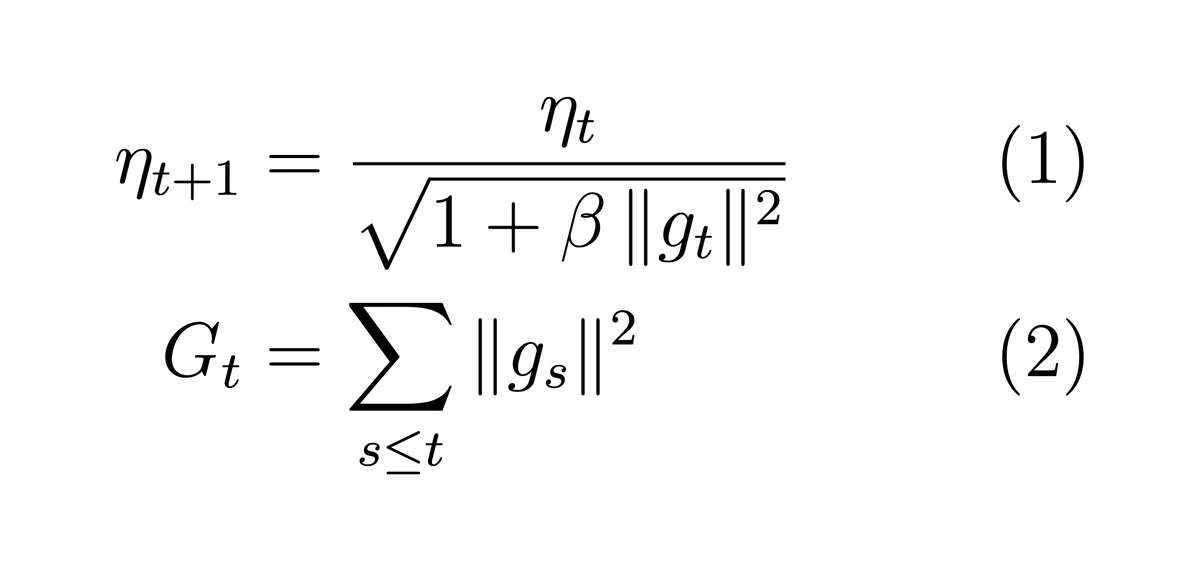
One real compile: this source, this page.
Claude, Cursor, Codex and n8n compile through the Model Context Protocol, with the same engines and the same quota.
Write a one-page invoice for Acme and compile it.
compile_latex (formatex-mcp 1.1.1)
engine: "pdflatex", latex: "\documentclass[11pt]{article}…"
Compilation successful. Engine: pdflatex, Duration: 325 ms, PDF size: 42628 bytes
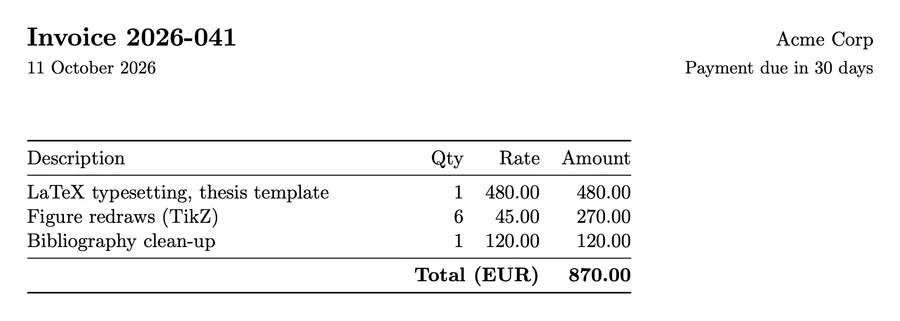
A recorded run: formatex-mcp 1.1.1, 13 tools.
One endpoint, four engines, sync or async. Post LaTeX, get a PDF back.
jq -Rs '{latex: ., engine: "pdflatex"}' \
  invoice.tex > payload.json

curl https://api.formatex.io/api/v1/compile \
  -H "X-API-Key: $FORMATEX_API_KEY" \
  -H "Content-Type: application/json" \
-d @payload.json -o invoice.pdfAsync
POST /api/v1/compile/async 202 { "jobId": "5251b736-…", "status": "pending" }
Verified code, and a recorded response to it.
\section{Engines}
Pick the right tool for each document.
\documentclass[12pt]{article}
\usepackage{amsmath, amssymb}
\usepackage[margin=1in]{geometry}

\title{Fourier Analysis}
\author{A. Mercier}
\date{\today}

\begin{document}
\maketitle

\section{Transform Definition}
The Fourier transform of $f(t)$ is:
\[
  \hat{f}(\xi) = \int_{-\infty}^{\infty}
    f(t)\, e^{-2\pi i \xi t}\, dt
\]

\section{Parseval's Theorem}
For square-integrable functions:
\[ \int_{-\infty}^{\infty} |f(t)|^2\, dt
   = \int_{-\infty}^{\infty} |\hat{f}(\xi)|^2\, d\xi \]

\end{document}pdfLaTeX
The workhorse. Fast, reliable, and battle-tested with the widest package support.

One pass. No extra packages -- a plain preamble is the whole setup.
\section{Templates}
More than sixty of them, kept current. Theses, conference manuscripts, lecture notes, problem sets, CVs.


Course Lecture Noteslatexmk
\section{For developers}
The same compiler runs behind a REST endpoint, four engines, SDKs and an MCP server, so your scripts and agents can produce PDFs too.
Read the API docsREST
Send LaTeX, get a PDF back. Synchronously, or as an async job you poll.
POST https://api.formatex.io/api/v1/compile
SDK
A client for each, so a compile is one call from your own code.
$ npm install formatex-sdk
$ pip install formatex
MCP
13 tools for Claude, Cursor, Codex and n8n, hosted over HTTP or run as a local binary.
https://mcp.formatex.io/mcp
\section{Pricing}
Start free. Move up when the documents get bigger.
Try it out
15
API compilations/mo
5
AI requests/mo
For a paper or a thesis
500
API compilations/mo
150
AI requests/mo
For long documents and groups
2,000
API compilations/mo
1,000
AI requests/mo
For departments and labs
15,000
API compilations/mo
5,000
AI requests/mo
\section{FAQ}
No. A full TeX Live runs on our side, so you open a browser and compile. Nothing to install, configure or reinstall when you change machine.
\end{document}
Start from a template or paste what you already have. Your first PDF is about a minute away.


