\begin{article}
LaTeX PDF API in PHP and Laravel
Integrate a LaTeX compilation API in PHP and Laravel to generate professional PDFs without installing TeX Live on your server.

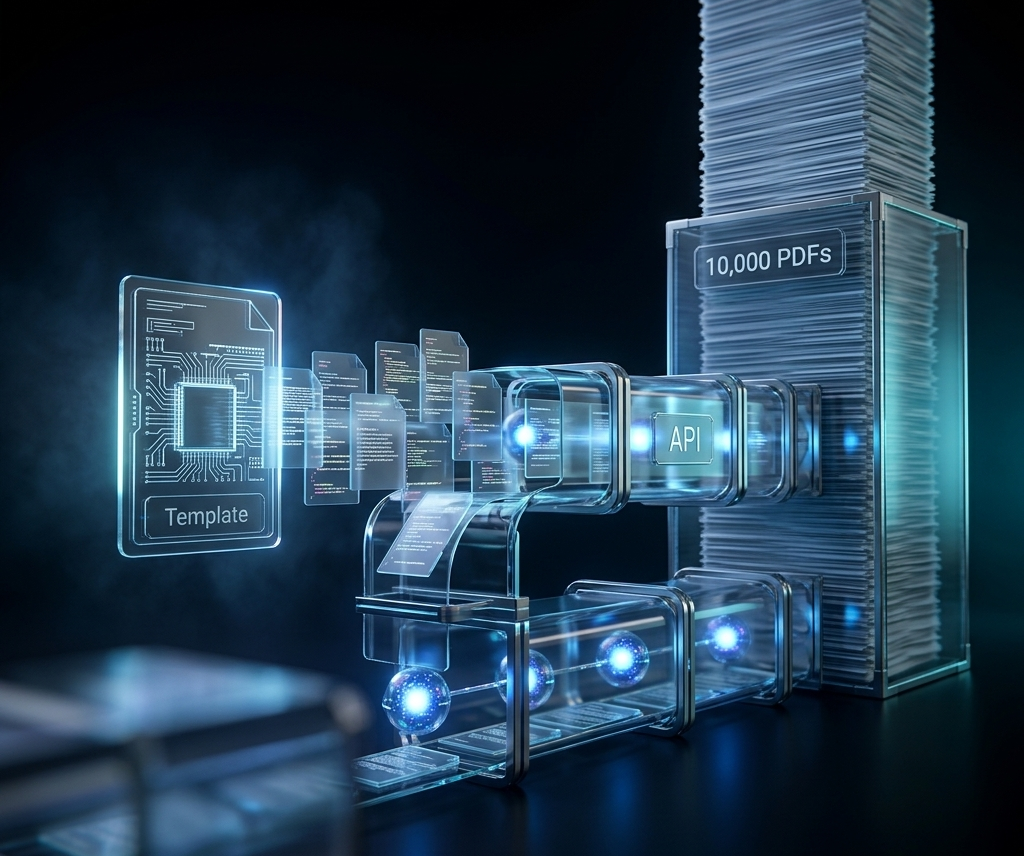
If you have ever tried to generate a PDF from LaTeX inside a PHP application, you know the pain: installing a 4 GB TeX Live distribution on your server, managing PATH variables, spawning shell processes, and cleaning up temp files manually — all before writing a single line of business logic. FormatEx eliminates every step of that. You POST LaTeX source to an API endpoint, and you get a compiled PDF back. This tutorial shows you exactly how to do that in plain PHP with Guzzle and in Laravel using the built-in HTTP client.
Why Not Just Run pdflatex on Your Server?
The naive approach is to shell out from PHP:
<?php
$latex = file_get_contents('/tmp/document.tex');
exec('pdflatex -output-directory /tmp /tmp/document.tex', $output, $exitCode);
if ($exitCode !== 0) {
    throw new RuntimeException('pdflatex failed');
}
$pdf = file_get_contents('/tmp/document.pdf');
This works on a local dev machine. In production it creates a list of problems:
- TeX Live is enormous. A full install exceeds 4 GB. Even a minimal install that covers common packages is several hundred megabytes and breaks on first use when a missing package causes a cryptic error at runtime. See why TeX Live Docker images are 4 GB for a deeper breakdown.
- Security surface. Passing user-supplied content to a shell command requires careful sanitization. A single unescaped path component can be a code-execution vulnerability.
- No isolation. A runaway LaTeX job can consume all CPU on the server, affecting every other request.
- Ephemeral environments. Serverless functions, containers with read-only filesystems, and PaaS platforms like Laravel Vapor do not have pdflatex available and cannot write to
/tmpreliably. - Version drift. TeX Live updates change package behavior. Your documents compile differently in CI, staging, and production.
A remote compilation API removes all of these concerns. The TeX infrastructure lives elsewhere. Your server sends JSON and receives a PDF.
FormatEx API Basics
Before writing code, here is what you are working with:
| Detail | Value |
|---|---|
| Endpoint | https://api.formatex.io/api/v1/compile |
| Method | POST |
| Auth header | X-API-Key: YOUR_KEY |
| Content type | application/json |
| Success response | Raw PDF binary (application/pdf) |
| Error response | JSON { "error": "...", "log": "..." } with status 422 |
The engine field accepts pdflatex, xelatex, lualatex, or latexmk. The Free plan supports pdflatex and gives you 15 compilations per month — enough to build and test an integration. Paid plans start at $12/month and unlock the other engines and higher limits.
Get your first API key at formatex.io — the getting started guide walks through sign-up, key creation, and your first compilation in under five minutes.
Calling the API with Plain PHP and Guzzle
Install Guzzle if you have not already:
composer require guzzlehttp/guzzleHere is a minimal wrapper class that covers the common case — sending LaTeX source and receiving PDF bytes:
<?php

namespace App\Pdf;

use GuzzleHttp\Client;
use GuzzleHttp\Exception\ClientException;
use RuntimeException;

class FormatExClient
{
    private Client $http;
    private string $apiKey;

    public function __construct(string $apiKey)
    {
        $this->apiKey = $apiKey;
        $this->http = new Client([
            'base_uri' => 'https://api.formatex.io',
            'timeout'  => 60.0,
        ]);
    }

    /**
     * Compile LaTeX source and return raw PDF bytes.
     *
     * @throws RuntimeException on compilation failure
     */
    public function compile(string $latex, string $engine = 'pdflatex'): string
    {
        try {
            $response = $this->http->post('/api/v1/compile', [
                'headers' => [
                    'X-API-Key'    => $this->apiKey,
                    'Content-Type' => 'application/json',
                    'Accept'       => 'application/pdf',
                ],
                'json' => [
                    'latex'  => $latex,
                    'engine' => $engine,
                ],
            ]);

            return (string) $response->getBody();

        } catch (ClientException $e) {
            $body = json_decode((string) $e->getResponse()->getBody(), true);
            $log  = $body['log'] ?? $body['error'] ?? 'Unknown compilation error';
            throw new RuntimeException("LaTeX compilation failed:\n" . $log);
        }
    }
}
Usage:
<?php

require 'vendor/autoload.php';

$client = new App\Pdf\FormatExClient($_ENV['FORMATEX_API_KEY']);

$latex = <<<'LATEX'
\documentclass{article}
\begin{document}
\title{Invoice \#1042}
\author{Acme Corp}
\maketitle
\section*{Summary}
Services rendered: \$1{,}200.00
\end{document}
LATEX;

$pdf = $client->compile($latex);

header('Content-Type: application/pdf');
header('Content-Disposition: attachment; filename="invoice-1042.pdf"');
header('Content-Length: ' . strlen($pdf));
echo $pdf;
The RuntimeException message includes the raw TeX compiler log, which tells you the exact line and error — the same output you would see running pdflatex locally.
Laravel Integration with the HTTP Client
Laravel ships with a fluent HTTP client built on Guzzle. You do not need to add a dependency or write a low-level wrapper. Here is a service class that fits cleanly into a Laravel application:
<?php

namespace App\Services;

use Illuminate\Http\Client\Response;
use Illuminate\Support\Facades\Http;
use RuntimeException;

class LatexPdfService
{
    public function compile(string $latex, string $engine = 'pdflatex'): string
    {
        $response = Http::withHeaders([
                'X-API-Key' => config('services.formatex.key'),
                'Accept'    => 'application/pdf',
            ])
            ->timeout(60)
            ->post('https://api.formatex.io/api/v1/compile', [
                'latex'  => $latex,
                'engine' => $engine,
            ]);

        if ($response->failed()) {
            $json = $response->json();
            $log  = $json['log'] ?? $json['error'] ?? 'Compilation error';
            throw new RuntimeException("LaTeX compilation failed:\n" . $log);
        }

        return $response->body();
    }
}
Register your API key in config/services.php:
'formatex' => [
    'key' => env('FORMATEX_API_KEY'),
],
And add FORMATEX_API_KEY=your_key_here to your .env file.
Now inject the service wherever you need PDF generation:
<?php

namespace App\Http\Controllers;

use App\Services\LatexPdfService;
use App\Models\Invoice;
use Illuminate\Http\Request;
use Illuminate\Http\Response;
use RuntimeException;

class InvoicePdfController extends Controller
{
    public function __construct(private LatexPdfService $latex) {}

    public function download(Request $request, Invoice $invoice): Response
    {
        $this->authorize('view', $invoice);

        $latex = view('pdfs.invoice', ['invoice' => $invoice])->render();

        try {
            $pdf = $this->latex->compile($latex);
        } catch (RuntimeException $e) {
            report($e);
            abort(500, 'PDF generation failed. Please try again.');
        }

        return response($pdf, 200, [
            'Content-Type'        => 'application/pdf',
            'Content-Disposition' => 'attachment; filename="invoice-' . $invoice->id . '.pdf"',
        ]);
    }
}
The view('pdfs.invoice') call renders a Blade template containing your LaTeX source. Keeping LaTeX in a Blade file means you can use {{ $invoice->total }}, @foreach, and all other Blade directives to build dynamic documents while keeping the template readable.
Generating Invoices and Reports
A typical LaTeX PDF invoice Blade template at resources/views/pdfs/invoice.blade.php:
\documentclass[11pt]{article}
\usepackage[margin=2.5cm]{geometry}
\usepackage{booktabs}
\usepackage{array}
\usepackage{eurosym}

\begin{document}

\begin{flushright}
  \textbf{ {{ $invoice->company_name }} }\\
  {{ $invoice->company_address }}
\end{flushright}

\vspace{1em}
\textbf{Invoice \#{{ $invoice->number }}} \hfill \textbf{Date:} {{ $invoice->date->format('d M Y') }}

\vspace{1.5em}
\begin{tabular}{p{8cm} r r}
  \toprule
  \textbf{Description} & \textbf{Qty} & \textbf{Amount} \\
  \midrule
  @foreach($invoice->items as $item)
  {{ $item->description }} & {{ $item->quantity }} & \euro{{ number_format($item->amount, 2) }} \\
  @endforeach
  \midrule
  \multicolumn{2}{r}{\textbf{Total}} & \euro{{ number_format($invoice->total, 2) }} \\
  \bottomrule
\end{tabular}

\end{document}
A few things to keep in mind when building LaTeX templates with dynamic data:
- Escape special characters. LaTeX treats
&,%,$,#,_,{,},~,^, and\as control characters. Create a helper that escapes user-supplied strings before inserting them into the template. - Use
xelatexfor non-ASCII text. If your invoices include accented characters, Arabic, Chinese, or any non-Latin script, switchenginetoxelatexand add\usepackage{fontspec}to your preamble. See the XeLaTeX vs pdfLaTeX comparison for details on Unicode support and custom fonts. This requires a Developer plan or higher. - Keep templates in version control. LaTeX templates are code. Treat them like Blade views — review changes before deploying.
- Test with the Playground first. Before wiring up a template to production data, paste a rendered version into the FormatEx Playground to verify it compiles cleanly.
Handling Errors Correctly
LaTeX compilation errors are normal — a missing brace or an undefined command causes the compiler to abort. The FormatEx API returns a 422 status and a JSON body that includes the full TeX log. The complete API error codes guide covers every status code, including 429 rate-limit responses and how to distinguish them from compilation failures.
{
  "success": false,
  "error": "compilation failed",
  "log": "! Undefined control sequence.\nl.14 \\euro\n..."
}
In a Laravel application, the correct pattern is:
- Catch the
RuntimeExceptionat the controller level. - Log the full TeX log via
report()so it appears in your log aggregator. - Show the user a friendly message — not the raw TeX log.
- In development, you may want to display the log directly to speed up debugging.
try {
    $pdf = $this->latex->compile($latex);
} catch (RuntimeException $e) {
    // Full log goes to your log aggregator
    report($e);

    if (app()->isLocal()) {
        // Show the raw TeX log in development
        abort(500, $e->getMessage());
    }

    abort(500, 'PDF generation failed.');
}
For background jobs (queued invoice generation, bulk report exports), wrap the compilation in a try/catch inside your handle() method and push a failed notification or update a database status field rather than letting the exception bubble up and retry indefinitely.
Queuing PDF Generation in Laravel
For documents that take more than a couple of seconds — multi-page reports, documents with many bibliography entries compiled via latexmk — offload the compilation to a queue. This async compilation and webhooks pattern scales well for high-volume document generation:
<?php

namespace App\Jobs;

use App\Models\Report;
use App\Services\LatexPdfService;
use Illuminate\Bus\Queueable;
use Illuminate\Contracts\Queue\ShouldQueue;
use Illuminate\Foundation\Bus\Dispatchable;
use Illuminate\Queue\InteractsWithQueue;
use Illuminate\Support\Facades\Storage;
use RuntimeException;

class GenerateReportPdf implements ShouldQueue
{
    use Dispatchable, InteractsWithQueue, Queueable;

    public int $tries = 2;
    public int $timeout = 120;

    public function __construct(private int $reportId) {}

    public function handle(LatexPdfService $latex): void
    {
        $report = Report::findOrFail($this->reportId);

        $source = view('pdfs.report', ['report' => $report])->render();

        try {
            $pdf = $latex->compile($source, 'latexmk');
        } catch (RuntimeException $e) {
            $report->update(['pdf_status' => 'failed', 'pdf_error' => $e->getMessage()]);
            $this->fail($e);
            return;
        }

        $path = "reports/{$report->id}/report.pdf";
        Storage::disk('s3')->put($path, $pdf);

        $report->update(['pdf_status' => 'ready', 'pdf_path' => $path]);
    }
}
Dispatch it from a controller:
GenerateReportPdf::dispatch($report->id);
return response()->json(['status' => 'queued']);
The controller returns immediately. The PDF appears in S3 once the job completes, and you can poll or use a webhook to notify the user.
Choosing the Right Plan
| Plan | Compilations/mo | Engines | Best for |
|---|---|---|---|
| Free | 15 | pdflatex | Prototyping, testing the integration |
| Developer ($12/mo) | 500 | all 4 | Small apps, side projects |
| Pro ($49/mo) | 2,000 | all 4 | Production apps with moderate volume |
| Scale ($199/mo) | 10,000 | all 4 | High-volume document generation |
The free tier is enough to build and test a complete integration. Upgrade when you hit the monthly limit or need xelatex/lualatex for Unicode and custom font support.
Getting Started
The integration path is straightforward:
- Sign up at formatex.io — no credit card required for the free tier.
- Create an API key in the dashboard under API Keys. Follow API key management best practices to store and rotate keys securely.
- Add
FORMATEX_API_KEYto your.env. - Drop the
LatexPdfServiceinto your Laravel app and wire it to a controller or job. - Build your LaTeX template as a Blade view and render it with live data.
You get professional-quality PDF output without touching TeX Live, without managing a compilation server, and without any of the security and maintenance overhead that comes with shelling out from PHP. The API handles the infrastructure — you ship the feature.
Start compiling at formatex.io.
Related Articles
- LaTeX PDF Invoice Generator API — Branded LaTeX invoice templates with variable substitution, directly relevant to the invoice use case shown above
- Why TeX Live Docker Images Are 4 GB — Explains the size and complexity of self-hosted TeX Live and why a managed API is the lighter alternative
- XeLaTeX vs pdfLaTeX — When to switch engines for Unicode text, custom fonts, and multilingual invoices
- LaTeX API Error Codes: Complete Guide — Every 4xx/5xx response the API can return and how to handle them in production code
- Async LaTeX Compilation and Webhooks — Polling, PDF downloads, and webhook callbacks for queued compilation jobs
\end{article}
\related{posts}